What to Collect in a Client Intake Form Before Booking: The Essential Instructor Checklist

Paperwork slowing you down before your classes even start? A well-crafted client intake form is your first step to smooth bookings and safer sessions. Collect everything from health questionnaires and emergency contacts to consent and preferences with ease. With Classta’s AI form generator, you’ll build your onboarding form in minutes, cutting admin time and speeding up sign-ups. Let’s explore the essential fields every instructor needs before booking.

Key Fields for Client Intake Forms

A well-structured client intake form is essential for efficient class management and client safety. These forms help gather important details that streamline the booking process. Let’s dive into the key fields you need.

Personal Details and Emergency Contacts

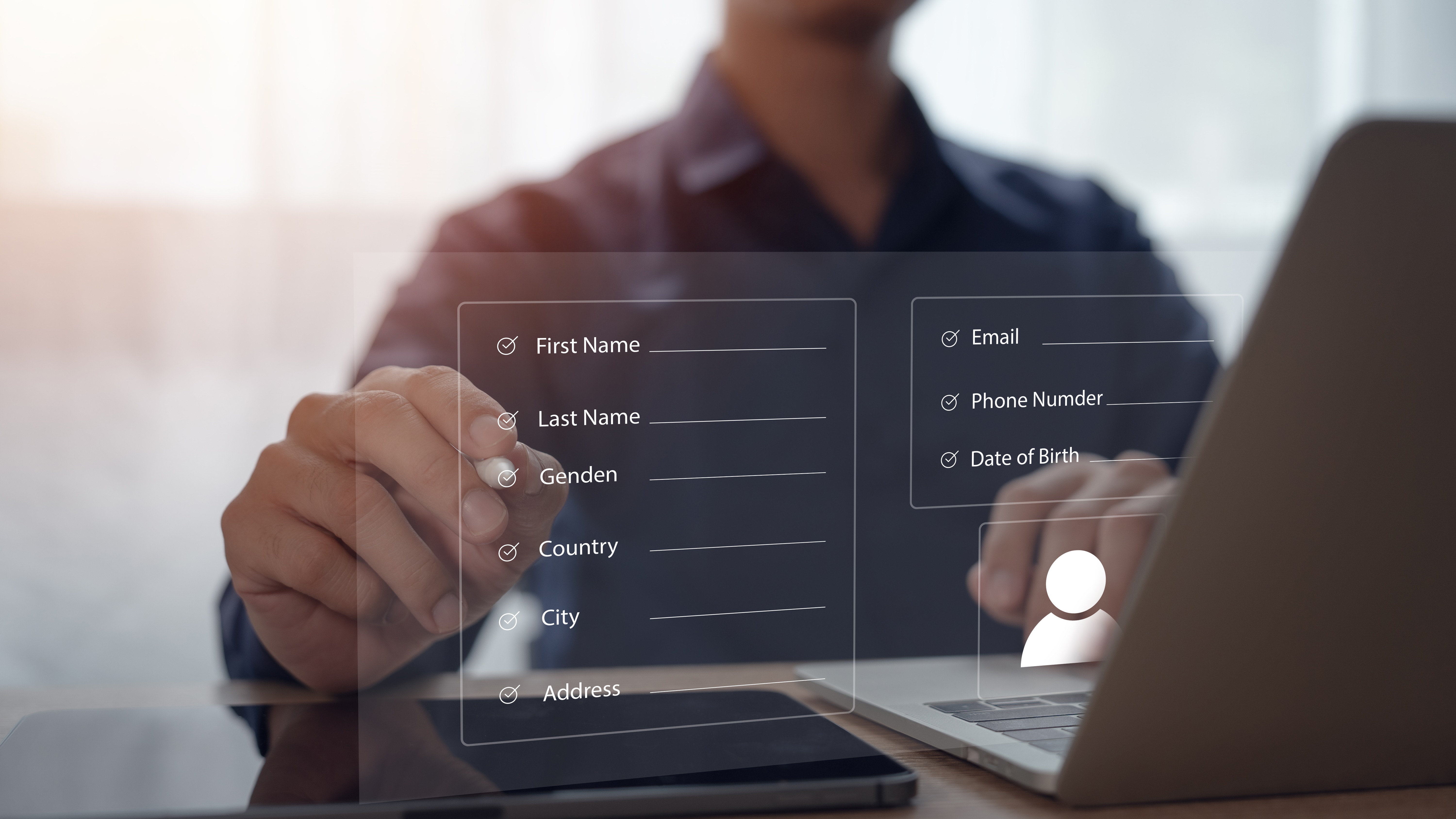
Start with basic personal details. This includes your client’s full name, phone number, and email address. These are crucial for communication. You’ll also want to collect emergency contact information. This ensures you’re prepared if something unexpected happens during a session.

Having these details at hand can make a significant difference. Instructors often find comfort in knowing they can reach out to someone if needed. It’s about creating a secure and professional environment for everyone involved.

Health and Medical Information

Understanding your client’s health status is vital. By collecting health and medical information, you can tailor your sessions to fit their needs. Ask about any medical conditions, allergies, or current medications. This helps you make informed decisions about exercise safety.

Including a health questionnaire or a PAR-Q form can be beneficial. It gives a clear picture of what activities are suitable. Most clients appreciate the attention to detail, which enhances their trust in your services.

Consent and Policies Acknowledgement
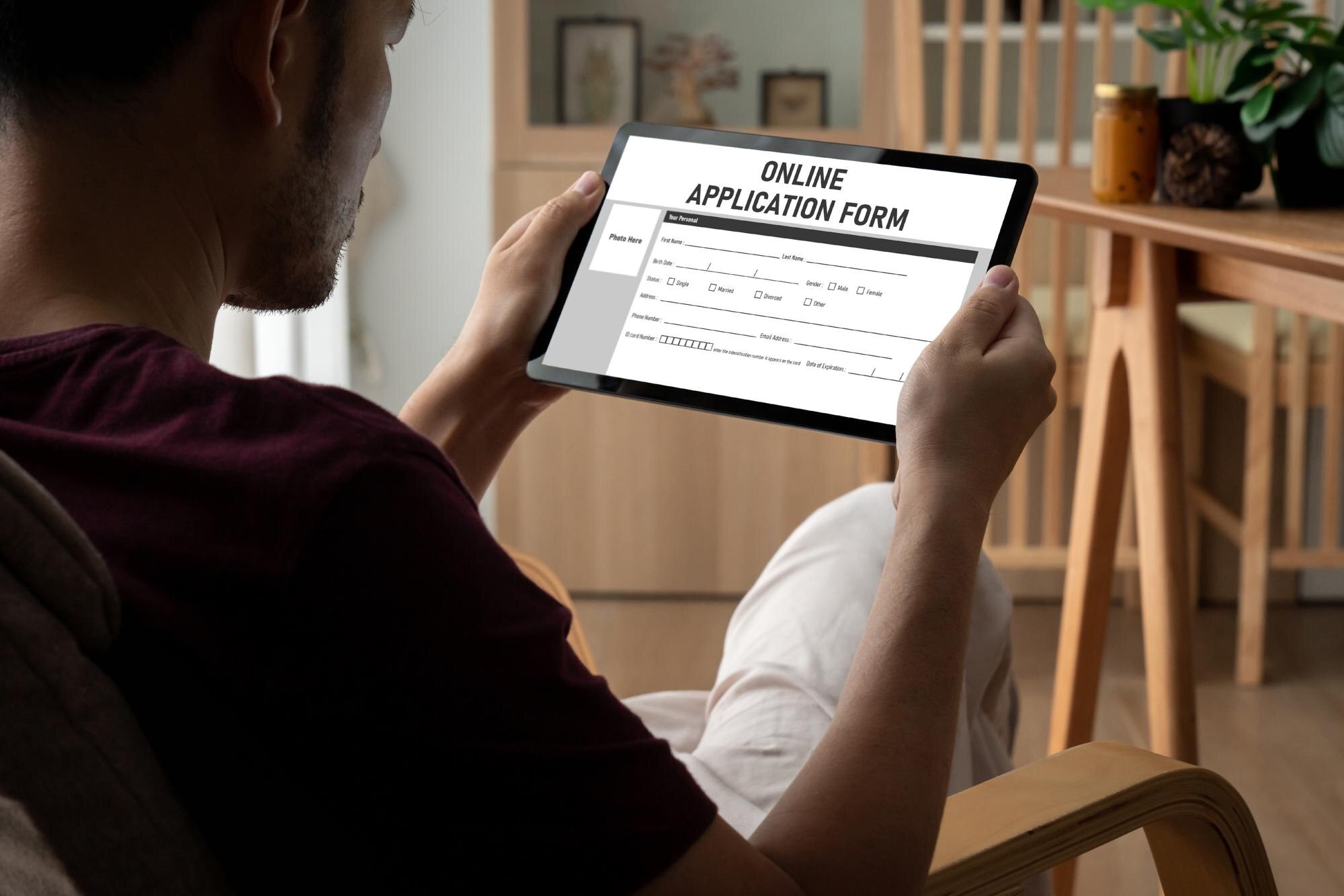
Consent and policy agreements protect both you and your clients. They ensure everyone is on the same page about expectations and responsibilities.

Consent for Communication and Marketing

It’s essential to obtain consent for future communications. Clients should know how their information will be used. You might also want to ask for consent to send marketing materials. This keeps them informed about upcoming classes or promotions.

Clear communication builds a strong relationship. Clients feel respected when they know how their data will be handled. For more insights, check out this article on client intake forms.

Cancellation and Refund Policies

Every business should have clear cancellation and refund policies. Include these in your intake form to avoid misunderstandings. Clients need to know what happens if they cancel a session. Specify the notice period required and any fees involved.

By being transparent, you set clear expectations from the start. This step prevents future disputes and keeps your operations smooth.

Classta’s AI Form Generator
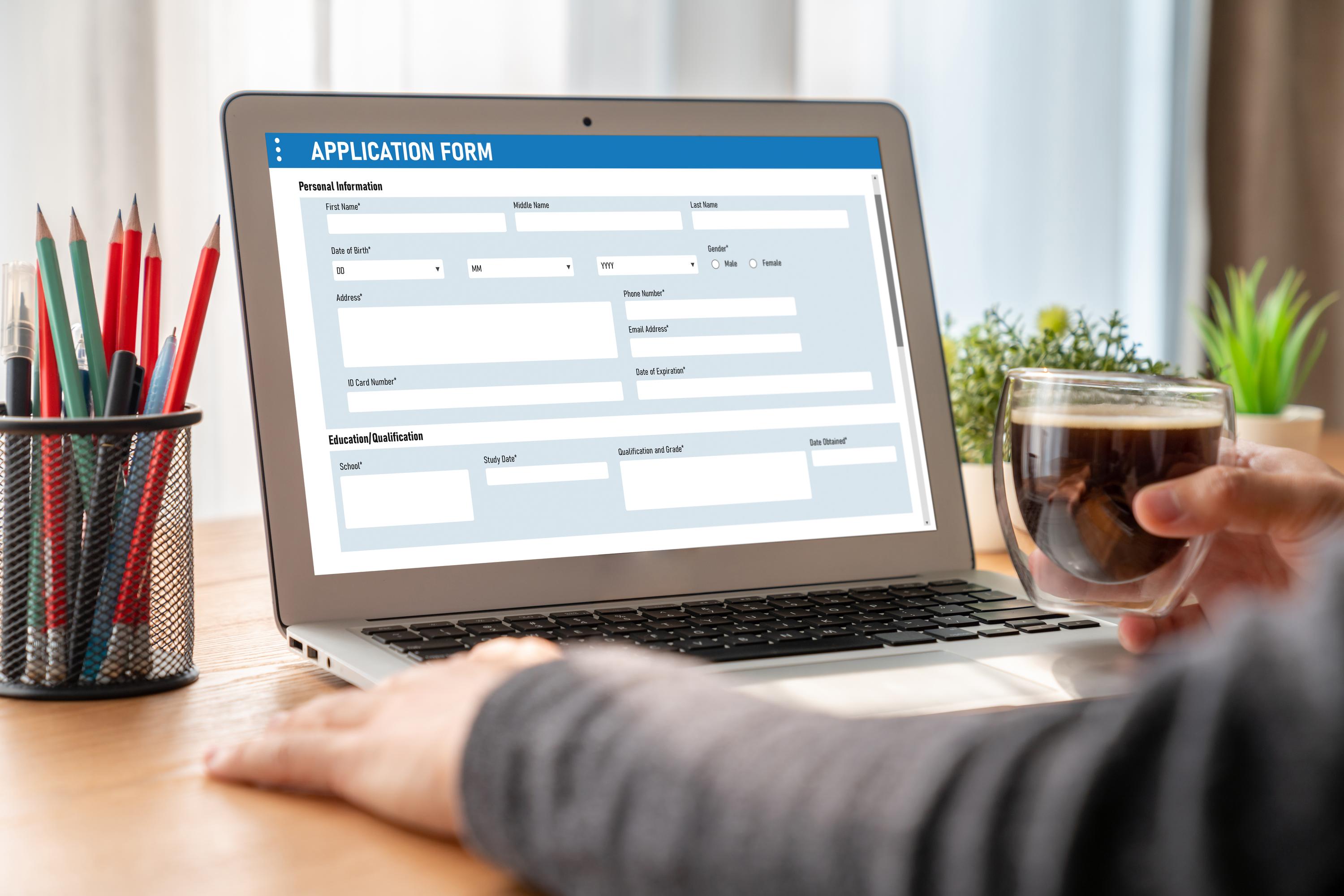
Classta offers a smart solution for creating client intake forms. With AI technology, setup becomes a breeze.

Setting Up Your Custom-Branded Form

Classta allows you to design forms that reflect your brand. It’s quick and user-friendly. You can add your logo, choose colours, and tailor questions to your needs. This creates a professional look that impresses clients.

Customization ensures your brand stands out. Clients remember the seamless experience, which encourages repeat bookings.

Automating Reminders and Follow-Ups

With Classta, you can automate reminders and follow-ups. This means less manual work for you. Automated reminders ensure clients don’t miss their sessions. Follow-ups can improve client engagement and satisfaction.

Automation saves you time and enhances client experience. It keeps your schedule organized without the hassle. For more tips, visit Cometly’s blog.

🌟✨📋

By incorporating these essential fields into your client intake form, you ensure a smooth and professional pre-booking process. Classta’s AI tools make it easy to set up and manage these forms, freeing you to focus on what you love most—teaching.


A practical guide to collecting the right client information at booking

A practical guide to collecting the right client information at booking

Collecting the right client information at booking isn’t just a checkbox—it shapes your whole service. Missing key details like health questionnaires or emergency contacts can slow you down and risk compliance. This guide shows you exactly what to ask, why it matters, and how to set it up with GDPR-compliant booking forms that run themselves. Set up your smart booking form in minutes with Classta’s AI form generator. Start today and transform your admin.

Key Information to Collect

Gathering essential details from clients is crucial for a smooth service experience. Let’s dive into the key information you need and how it benefits your operations.

Health Questionnaire and PAR-Q

Start by ensuring you have a comprehensive health questionnaire. This helps you understand your client’s physical capabilities and any limitations. A well-structured PAR-Q (Physical Activity Readiness Questionnaire) can prevent injuries and tailor sessions to individual needs. Imagine a client who has a knee issue but forgets to mention it. Without this step, both you and the client could face unwanted surprises during a session.

  • Collect information on medical history, allergies, and injuries.

  • Ensure questions are easy to understand to avoid confusion.

  • Regularly update health information to stay informed.

Emergency Contact Details

Having the right emergency contact details is non-negotiable. It ensures you can act swiftly if a situation arises. Most people underestimate the importance of this step, but it can make all the difference in a crisis.

  • Collect names, phone numbers, and relationships of contacts.

  • Verify the accuracy of information provided by clients.

  • Keep this data easily accessible during sessions.

Waiver and Consent UK

In the UK, having a waiver and consent form protects both you and your clients. It clarifies responsibilities and sets expectations. Picture a scenario where a client is injured during a session. A signed waiver can prevent legal complications.

  • Clearly outline potential risks involved in activities.

  • Ensure clients fully understand what they’re signing.

  • Regularly review and update forms to comply with legal standards.

Automating the Booking Process

Now that you know the essentials, it’s time to make the booking process effortless. Automation is your best friend in reducing admin work and enhancing client satisfaction.

AI Form Generator Benefits

Imagine having a tool that creates your forms in seconds. An AI form generator saves time and ensures accuracy. It lets you focus on what you love most: teaching and interacting with clients.

  • Automatically generate forms tailored to your needs.

  • Reduce human error and improve data consistency.

  • Spend less time on admin and more with clients.

GDPR-Compliant Booking Practices

Data protection is vital. Ensuring your booking system is GDPR-compliant builds trust with clients. No one wants to risk a data breach or face legal issues.

  • Securely store and process client information.

  • Provide clients with clear data privacy statements.

  • Regularly audit your practices to ensure compliance.

Automated Booking Reminders

Never let a booking slip through the cracks again. Automated booking reminders keep everyone on the same page. Imagine a client forgetting their appointment; reminders save the day.

  • Send timely reminders via email or SMS.

  • Reduce no-shows and increase attendance.

  • Personalise messages for a professional touch.

Customising Your Booking Forms

Every business is unique, and your booking system should reflect that. Customising forms lets you tailor the client experience to match your brand.

Onboarding Form Template UK

Use an onboarding form template specifically designed for the UK market. It ensures you gather relevant information without missing critical cultural nuances.

  • Include sections specific to your services.

  • Use templates to maintain consistency across forms.

  • Regularly update templates to adapt to changes.

Marketing Preferences Opt-In

Boost your marketing efforts by understanding your clients’ preferences. An opt-in option helps you communicate more effectively.

  • Ask clients how they prefer to receive updates.

  • Respect client preferences to build trust.

  • Use insights to tailor marketing campaigns.

Custom Branded Booking Pages

Your booking page is often the first interaction clients have with your company. Make it memorable with custom branded pages.

  • Use consistent branding, including logos and colours.

  • Create a seamless transition from your website to the booking page.

  • Regularly update content to keep it fresh and engaging.

By following these strategies, your booking process will not only run smoothly but also enhance the overall client experience. Remember, the longer you wait to streamline your system, the more time you spend on admin instead of focusing on what you do best.

What to include in your class booking form for a smoother client journey

What to include in your class booking form for a smoother client journey

Booking forms often cause more hassle than help. You waste time chasing missing info and managing payments, while your clients get stuck on clunky forms. The right class booking form can smooth every step, cutting admin and boosting bookings. In this post, you’ll find exactly what to include to make booking easy and effective—and how Classta’s AI-powered tools help you set it up in minutes. For more tips on creating the perfect booking form, check out this guide.

Essential Elements of a Class Booking Form

Building a class booking form that works for both you and your clients is crucial. Let’s dive into what makes a booking form not just functional but exceptional.

Collecting Client Intake Information

Gathering the right info is the first step in creating a smooth booking experience. With well-designed intake forms, you capture all necessary details without overwhelming your clients. Start by asking only what you need: name, contact info, and any health considerations. This keeps the process quick and painless.

Consider using Classta’s AI form generator to craft the perfect intake form in minutes. It ensures you don’t miss vital info, making the class booking form process seamless. Most instructors find that simplifying this step reduces their admin time significantly. When you know your clients’ needs from the start, you can tailor your classes to suit them better.

Secure Payment Options: Stripe and PayPal

Security and ease of payment can make or break your booking form. Offering trusted payment gateways like Stripe and PayPal assures clients their transactions are safe. Choose platforms that support multiple currencies to cater to diverse client bases. This flexibility can be a deciding factor for international clients.

Using Classta, payments are handled effortlessly, protecting you and your clients. Secure transactions build trust, encouraging repeat bookings. With Stripe and PayPal, you streamline the payment process, ensuring clients commit to your classes without hesitation.

Incorporating GDPR Compliance

Privacy is paramount in today’s digital world. Your booking form must align with GDPR standards to protect client data. Make it clear how you store and use their information, ensuring transparency from the start. This can include a simple checkbox for consent, informing clients of their rights.

Classta integrates GDPR compliance seamlessly, giving you peace of mind while you focus on teaching. By prioritising data protection, you demonstrate professionalism and care for your clients. Most clients appreciate businesses that respect their privacy, enhancing your reputation.

Streamlining Your Booking Process

A streamlined booking process not only saves time but also enhances the client experience. Dive into how automation and policies can transform your workflow.

Automated Reminders and Confirmation Emails

Never let a client miss a class again with automated reminders. Sending timely emails or texts ensures they know exactly when and where to show up. Classta offers personalised booking confirmation emails that keep clients informed and engaged.

Automation reduces the back-and-forth communication that often clogs your schedule. Most instructors save hours each week with this feature, allowing them to focus more on their classes and less on admin. Clients appreciate the consistency and reliability of automated communication.

Integrating Online Waivers and Policies

Waivers and policies protect both you and your clients. Integrate these into your booking process to ensure everyone’s on the same page. Online waivers eliminate the hassle of paper forms, making it easier for clients to agree to terms before they book.

Classta lets you include waivers seamlessly, enhancing the booking form experience. Clear policies reassure clients, especially in disciplines where safety is a priority. This step also reinforces your professionalism and commitment to client care.

Efficient Waitlist and Cancellation Management

Handling waitlists and cancellations can be a headache. Effective management tools allow you to fill spots quickly and handle last-minute changes with ease. Classta’s waitlist automation ensures no class goes underbooked.

Clients are notified immediately when a spot opens up, increasing your chances of a full class. Efficient management of cancellations also builds trust with clients, showing that you value their time and commitment.

Enhancing Client Engagement

Creating an engaging booking experience builds client loyalty. Here’s how to make your booking page not just a transaction point but a part of your brand.

Custom Branded Booking Pages

A branded booking page sets you apart as a professional. Using your logo and colours, you create a cohesive look that reinforces your brand identity. Classta provides the tools to customise pages easily, ensuring clients recognise your unique style.

A personalised touch shows clients you care about their experience. It’s a simple way to make a lasting impression and encourage them to return. Most clients prefer a booking system that feels personalised and professional.

Mobile-Friendly and Easy Access

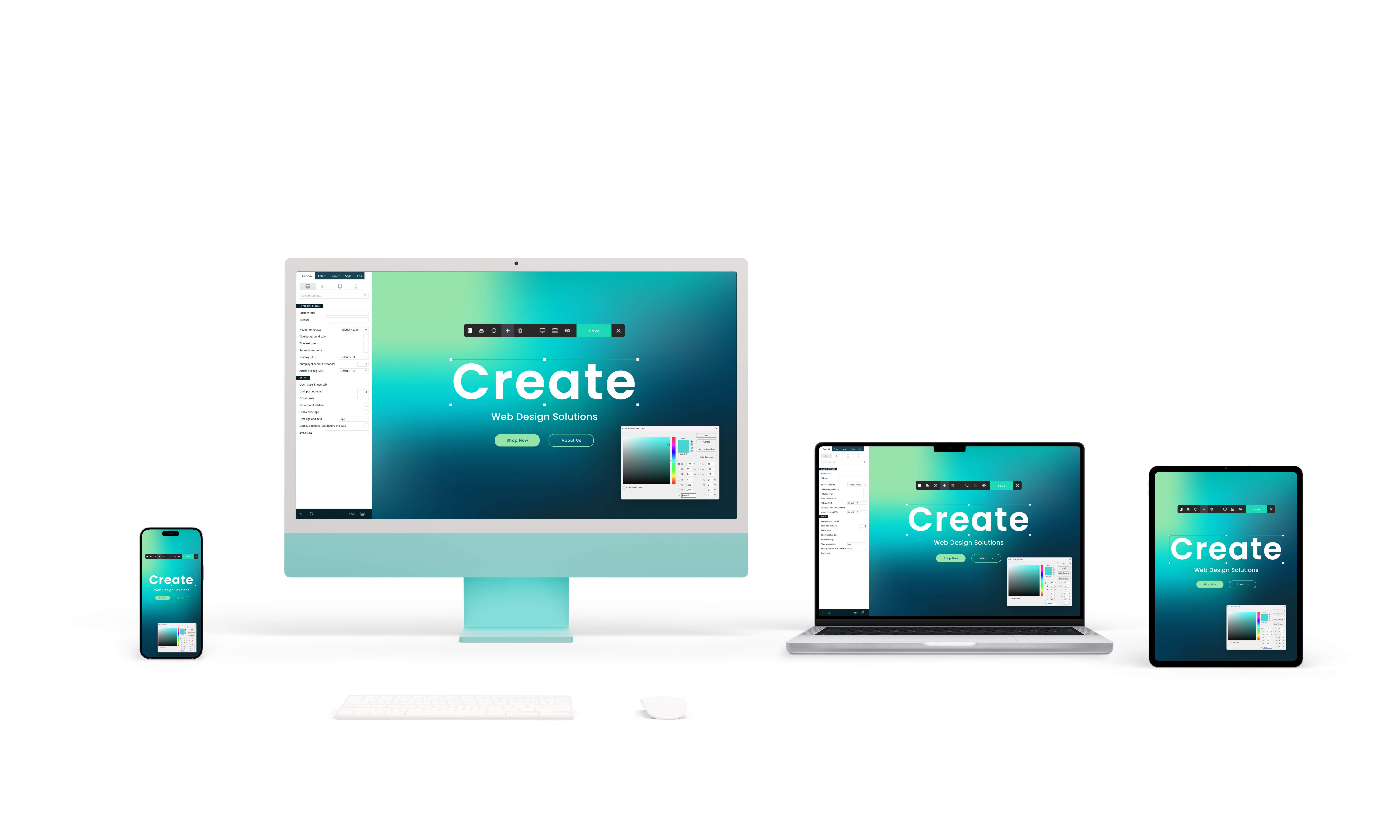
In today’s fast-paced world, mobile access is key. Ensure your booking form is mobile-friendly so clients can book on-the-go. Classta’s design is optimised for all devices, ensuring a smooth process no matter where clients are.

Mobile booking is not just convenience; it’s a necessity. When clients can book quickly and easily, you’re more likely to secure their commitment. This accessibility is vital for attracting a broader audience.

Tracking Attendance and Membership Management

Keeping track of who attends your classes is essential for improvement. With Classta, attendance tracking is automatic, allowing you to focus on delivering excellent sessions. Membership management tools also help you maintain relationships with regular clients.

Knowing your attendance patterns aids in better class planning and client interaction. It’s a simple way to enhance both client satisfaction and your business efficiency. Most instructors find that effective tracking tools empower them to grow their client base strategically.

In conclusion, incorporating these elements into your class booking form can transform your workflow, reduce friction, and boost client satisfaction. By using Classta’s AI-powered tools, setting up an efficient booking system becomes effortless. Embrace the change today and watch your teaching business flourish. For an in-depth look into making appointment forms smooth, visit this insightful article.

Customised Onboarding Forms: The Simple Way to Boost Client Safety and Experience

Customised Onboarding Forms: The Simple Way to Boost Client Safety and Experience

Customised onboarding forms are the missing link in your booking process. They help you gather crucial client info upfront, reducing risk and personalising every session. With Classta’s easy-to-use forms, you can cut admin time, improve client safety, and create a smooth, professional experience your clients will appreciate. Create your first onboarding form in Classta today. Transform your client journey in minutes—start now.

Simplify Client Safety and Experience

Creating a safer environment for your clients begins with understanding their needs from the outset. Customised onboarding forms are your secret weapon in this journey.

Reduce Risk with Custom Forms

Start by knowing your clients better. With custom forms, you can ask the right questions that matter most to your business. Gather essential health and preference information as soon as they book. This proactive approach not only helps in reducing risks but also shows your clients that you care about their safety. Imagine the peace of mind you’ll have knowing you can anticipate and prevent potential issues before they occur. Using Classta’s platform, setting up these forms is straightforward, ensuring you focus on what you do best: teaching and delivering exceptional sessions. Check out this workplace safety onboarding form for more inspiration.

Personalise Sessions with Ease

Every client is unique, and your sessions should reflect that. With the detailed insights from the onboarding forms, you can tailor your classes to fit individual client needs. Whether it’s adjusting the intensity of a workout or focusing on specific areas during a massage, personalisation makes a difference. Clients will feel valued, and this enhances their overall satisfaction. As you personalise each session, you’re not just providing a service; you’re building lasting relationships. This level of personal attention is what sets your classes apart and keeps clients coming back for more.

Streamline Admin Tasks

Say goodbye to endless paperwork and manual data entry. Classta’s custom forms automatically integrate with your booking platform, saving you hours of admin work. You’ll have all the client details you need in one place, accessible with just a few clicks. This not only reduces errors but also ensures that you spend less time on admin and more time focusing on your clients. The longer you wait to adopt these time-saving tools, the more you’ll miss out on opportunities to grow your business efficiently. Here’s the key insight: streamlined admin tasks free you up to focus on delivering the best experience possible.

Features of Classta’s Booking Platform

Classta’s booking platform isn’t just about forms; it’s a comprehensive toolset designed to make your business thrive. Here’s what you can expect.

Secure Payment and Attendance Tracking

Handling payments and tracking attendance have never been easier. Classta integrates seamlessly with Stripe and PayPal, ensuring your transactions are secure and hassle-free. You can monitor attendance in real-time, allowing you to manage your classes’ capacity effectively. This system gives you a clear overview of who’s attending, helping you plan and adjust your sessions as needed. By using these features, you’re not only protecting your revenue but also ensuring a smooth experience for your clients. You can discover more about secure payment systems through this guide.

Automated Reminders for Convenience

Never worry about no-shows again with automated reminders. Classta sends timely notifications to your clients, reminding them of upcoming sessions. This reduces last-minute cancellations and ensures your schedule stays full. Automated reminders aren’t just a convenience; they’re a crucial part of maintaining a professional and reliable service. Clients appreciate these reminders, which help them manage their schedules better. Implementing this feature means fewer empty slots and more engaged participants in your classes.

Mobile-Friendly and Intuitive Dashboard

In today’s fast-paced world, having a mobile-friendly platform is essential. Classta’s intuitive dashboard works flawlessly on any device, allowing you to manage your classes on-the-go. Whether you’re updating a schedule or checking bookings, the process is seamless and efficient. This flexibility ensures you can keep your business running smoothly, no matter where you are. Your clients will also enjoy the ease of booking and paying for classes directly from their smartphones. This convenience is a significant factor in enhancing the overall client experience.

Getting Started with Classta

Ready to dive into Classta’s world of simplified booking? Here’s how you can get started and transform your business today.

Creating Your First Onboarding Form

Begin by crafting your first customised onboarding form. Classta’s platform makes it easy with its user-friendly form builder. Decide on the information you need from your clients, and tailor the form to suit your specific requirements. Whether it’s a fitness intake form or a health questionnaire, the options are endless. Once set up, these forms automatically collect and organise client data, giving you the insights you need to personalise each session. For more guidance on creating effective forms, visit this resource.

Setting Up Custom Branded Booking Pages

Your booking page is the first impression clients have of your business. Classta allows you to design custom branded pages that reflect your style and professionalism. Choose your colours, add your logo, and create a seamless booking experience that aligns with your brand. This not only attracts more clients but also builds trust and credibility. A well-branded booking page sets you apart from competitors and ensures clients remember their positive experience with your business.

Managing Membership and Client Profiles

As your client base grows, managing memberships and profiles becomes crucial. Classta offers tools to handle this with ease. You can track client activity, manage subscriptions, and even offer exclusive content to members. This keeps your clients engaged and encourages loyalty. Membership management isn’t just about tracking; it’s about creating a community where clients feel valued and connected. By offering personalised experiences and recognising client milestones, you foster long-lasting relationships that pave the way for continued success.

Classta is here to empower you, making your teaching experience simpler and more rewarding. Start today, and watch your business transform with ease.

Create personalised onboarding forms that delight clients and keep them safe

Create personalised onboarding forms that delight clients and keep them safe

Personalised onboarding forms are not just about ticking boxes—they set the tone for every client interaction. When you gather the right details upfront, you create safer sessions and tailor experiences that truly fit each individual. With Classta’s AI form generator, you can build these forms fast, cut admin time, and keep client data secure. Let’s explore how you can start today and make every booking a smooth, personalised experience. For more ideas on crafting effective onboarding forms, check out these templates.

Create Personalised Client Journeys

Creating a smooth client journey begins with understanding their needs and ensuring safety. This section delves into how personalised forms can enhance experiences, boost safety, and reduce the administrative load.

Enhance Client Experience

Imagine stepping into a class where everything feels tailored just for you. That’s the power of a personalised client intake form. These forms help you gather crucial details about your clients, ensuring sessions meet their specific needs. By crafting a yoga intake form or massage consultation form, you can personalise each interaction. This attention to detail shows clients you care, making them feel valued and understood. Most people think generic forms suffice, but a personalised touch elevates the experience.

Moreover, these forms save time by capturing all necessary information upfront. This means more time focusing on the sessions themselves rather than chasing details later. The longer you wait to implement personalised forms, the more you miss out on creating exceptional experiences.

Boost Client Safety

Safety should always be a top priority. Using tailored forms helps ensure that you are aware of any health issues or preferences. Completing a health questionnaire or PAR-Q before the first session means you can avoid potential risks and tailor exercises accordingly.

For instance, a sports therapy intake form can identify any areas needing extra attention, ensuring all activities are safe and suitable. Most people assume general questions are enough, but specific inquiries make all the difference in preventing injuries. Here’s the key insight: detailed forms are your first line of defence in client safety.

Reduce Administrative Burden

Keeping things simple is essential for managing your workload. Personalised forms cut down on repetitive admin tasks. Instead of sorting through heaps of generic paperwork, you have a clear, organised system for client information.

Utilising a client consent form ensures you’ve covered all legal bases without the hassle. This reduces stress and frees up more time for what you love—teaching. By reducing the administrative burden, you empower yourself to focus on growth and innovation in your classes.

Streamline Onboarding with Classta

Onboarding is the gateway to a seamless client experience. With Classta’s advanced tools, set up becomes a breeze. Let’s look at how you can streamline this process effectively.

Using AI Form Generator

Classta’s AI form generator is a game-changer for creating onboarding forms. It’s designed to be intuitive, allowing you to set up forms in just a few clicks. This tool helps you gather specific client data effortlessly, ensuring all necessary information is at your fingertips.

The AI feature tailors each form to suit different needs, whether you’re setting up a Pilates intake or a client safety form. Unlike traditional methods, this generator adapts to your requirements, making the process quick and efficient. Discover how technology can transform your onboarding approach by exploring these templates.

Setting Up Forms for Services

Setting up forms for specific services like one-on-one sessions or small group training is simple with Classta. Each form is customisable, allowing you to cater to unique client needs. For example, a sports therapy intake form can include questions specific to injury history or therapy goals.

By having these forms ready before the session, you ensure a smooth start. Clients appreciate not having to fill out lengthy paperwork on arrival. Instead, they can focus on enjoying their session. Most people think setting up forms takes time, but with Classta, it’s a matter of minutes.

Automating Reminders and Bookings

Automation is your friend when it comes to reducing no-shows and keeping clients informed. Classta’s system can send out automatic reminders, helping ensure clients remember their bookings. This feature is crucial for maintaining class attendance and client satisfaction.

With automated reminders, you can focus less on logistics and more on delivering great sessions. It’s a simple yet effective way to keep your classes running smoothly. Remember, the more you automate, the less you have to worry about the details.

Secure and Personalised Bookings

Securing client data while offering a personalised booking experience is non-negotiable. Here’s how Classta helps you achieve both.

Protecting Client Data

Client data protection is paramount. Classta ensures all information gathered through forms remains secure. With robust security measures in place, you can reassure clients their data is safe.

This trust is invaluable, as it builds a strong reputation for your business. Most people think basic security measures are enough, but comprehensive protection is essential. Look into client onboarding forms that prioritise security and ease.

Tailoring Health Questionnaires

Health questionnaires play a vital role in understanding client needs. Tailoring these questionnaires ensures you ask the right questions, gathering information critical to personalising sessions. Whether it’s a Pilates intake or a client consent form, getting these details right can transform the client experience.

These tailored forms allow you to make informed decisions that enhance client safety. The insights you gain help you deliver sessions that are both safe and enjoyable. Remember, the depth of your questions can significantly impact client satisfaction and safety.

Ensuring Client Safety and Consent

Getting client consent is more than just a formality—it’s about ensuring trust and safety. Classta makes it easy to collect and store consent forms, safeguarding your business and clients. This step protects you legally and ensures all clients are informed participants.

Consent forms also allow you to communicate any specific requirements or precautions for sessions. This clarity helps set expectations and fosters a safe environment for everyone involved. By prioritising client safety and consent, you demonstrate a commitment to professionalism and care.

Create Custom Onboarding Forms in Classta: A Step-by-Step Guide to Delight Clients

Create Custom Onboarding Forms in Classta: A Step-by-Step Guide to Delight Clients

You’re spending too much time chasing client details and paperwork before a class even starts. That slow, clunky enrolment process drains your energy and risks losing bookings. With Classta’s AI form generator, you can build custom onboarding forms in minutes that get all the info you need upfront—cutting admin and keeping clients happy. Let’s walk through how to create your perfect client intake form today. For more tips on efficient client onboarding, check out this guide.

Building Custom Onboarding Forms

Let’s dive into creating forms that simplify your enrolment process. We’ll start with the basics of using Classta’s powerful tools.

Using the AI Form Generator

Imagine spending just minutes to set up a form that captures all your client details. With Classta’s AI form generator, this is your new reality. It crafts forms tailored to your needs, ensuring you get the right information upfront.

Here’s how it works:

  1. Input Your Requirements: Describe what you need. The AI takes care of the rest.

  2. Receive a Ready-to-Use Form: In moments, your form is ready for action.

  3. Customise as Needed: Add or tweak fields to better suit your sessions.

This tool saves you time and reduces errors. Most people think creating forms is tedious, but Classta makes it simple.

Flexible Editor Features

Now, let’s explore the editor that lets you fine-tune every detail of your forms. This flexibility is what sets Classta apart.

  1. Drag-and-Drop Interface: Easily move elements around to suit your needs.

  2. Custom Fields: Add specific questions that matter to your sessions.

  3. Integrated Help: Guidance at every step ensures you get it just right.

The longer you wait to streamline your process, the more time you lose to admin tasks. Classta’s editor empowers you to create forms that perfectly match your teaching style.

Streamlining Client Enrolment

Once your forms are set up, see how they transform your enrolment process. The reduction in admin work is immediate.

Reducing Admin Tasks

Picture a world where paperwork doesn’t eat up your time. Classta’s onboarding forms do just that by automating data collection.

  • Automated Syncing: Client data goes straight into your system.

  • Instant Access to Information: No more searching through piles of paper.

  • Real-Time Updates: Always have the most current details at your fingertips.

This means you can focus more on teaching and less on paperwork. The benefits are clear: faster enrolment, fewer mistakes, and happier clients.

Enhancing Client Experience

Your clients will notice the difference too. A smooth onboarding process sets the stage for a positive experience.

  • Simple, User-Friendly Forms: Clients appreciate the easy process.

  • Quick Confirmation: They receive immediate booking confirmations.

  • Secure Data Handling: Confidence in how their information is stored.

Offering a seamless start builds trust and keeps clients coming back. Most instructors underestimate the power of a smooth first impression—don’t be one of them. For more insights into creating a stellar onboarding experience, read this article.

Going Live with Your First Form

You’re now ready to launch your first onboarding form. Let’s discuss the final steps to make it live.

Attaching Forms to Sessions

Here’s how to link your custom forms with specific sessions to ensure all necessary information is collected.

  1. Select the Session: Choose the class or service you want to attach the form to.

  2. Link the Form: Connect your customised form with a click.

  3. Notify Clients: Let them know what information they need to provide.

This process ensures every booking has complete client info ready for you. It’s a game-changer for managing your classes efficiently.

Setting Required Fields

Decide what information is critical to collect by setting required fields. This is crucial to ensure you have all details before a session begins.

  • Identify Key Data: Focus on what’s essential for your session.

  • Mark Fields as Required: Ensure clients can’t skip important questions.

  • Review and Adjust: Periodically check your form’s effectiveness.

By having the right data, you’ll run your classes smoothly and focus on your passion—teaching. For more advice on setting up onboarding forms, visit this resource.

🌟✨📈

With Classta, creating custom onboarding forms is not just easy; it’s transformative. Start today and experience the difference for yourself. You’ll spend less time on admin and more on what you love—helping your clients succeed.