Mobile-Friendly Booking Pages: What Instructors Should Look For (A No‑Fuss Checklist)

Mobile-Friendly Booking Pages: What Instructors Should Look For (A No‑Fuss Checklist)

Most booking pages still trip up on mobile. That means you’re losing bookings before your clients even reach your offers. A mobile-friendly booking page isn’t just a nice-to-have—it’s what turns casual browsers into loyal students. In this checklist, you’ll see exactly what to look for in a responsive booking system and how Classta makes setting up your own mobile-ready, branded page quick and fuss-free. Explore more on why mobile-friendly booking platforms are a game-changer for busy instructors here.

Key Features of Mobile-Friendly Booking Pages

Mobile-friendly booking pages make all the difference in turning casual visits into confirmed bookings. Let’s explore the features that make this possible.

Simplified User Experience

Creating a user-friendly experience is crucial. A booking page should be easy to navigate, especially on smaller screens. Users need clear buttons and straightforward steps to make a booking. Think simple menus and big, tappable buttons. Keep distractions to a minimum so clients focus on booking their spot. The less clicking around they need to do, the better.

Imagine a client trying to book a yoga class while commuting. They scroll, tap, and confirm their booking in under two minutes. That’s the kind of experience that keeps them coming back. Engage clients by making the process smooth and intuitive. Want to see how a simplified booking experience can boost your business? Check out this insightful post.

Quick and Flexible Scheduling

Speed and flexibility in scheduling are key. Clients appreciate it when they can choose their preferred time slots easily. A system that shows available times at a glance makes decision-making swift. With just a few clicks, users should lock in their desired class.

Picture this: A busy professional wants to squeeze in a fitness class during lunch. They check the schedule, find a slot that fits, and book within moments. That’s the kind of efficiency you want to offer. Flexibility in scheduling ensures clients find what suits their needs without fuss.

Secure Payment Options

Security builds trust. Clients need to feel safe when entering payment details. Ensure your booking page supports reliable payment gateways like Stripe and PayPal. This not only protects client data but also encourages bookings by offering multiple payment options.

Consider a new client ready to try your class. They see familiar payment options and complete their booking without hesitation. Secure payments assure them they’re in safe hands. Providing this peace of mind is crucial for repeat business.

Enhancing Booking Efficiency

Efficient booking systems don’t just make life easier for clients. They also streamline operations for instructors. Here’s how you can enhance booking efficiency.

Automated Reminders and Attendance Tracking

No-shows can be a headache. Automated reminders reduce this risk by nudging clients about upcoming classes. It’s like having a personal assistant reminding them of their commitments. Attendance tracking further helps you manage your class capacity and ensure everyone is accounted for.

Imagine reducing no-shows by 30% through timely SMS and email reminders. The difference this makes to your scheduling and income is significant. Automated systems take care of the follow-up, so you can focus on teaching.

Custom Branded Booking Pages

Your brand is unique, and your booking page should reflect that. Customisation options allow you to add your logo, brand colours, and style. This offers clients a cohesive experience from booking to attending your class.

Think of your booking page as an extension of your studio. It should feel just as welcoming and professional. When clients see your brand throughout their booking journey, it enhances trust and recognition.

Real-Time Analytics and Reports

Knowledge is power. Real-time analytics give you insights into booking patterns, class popularity, and client preferences. These reports help you make informed decisions about your offerings and marketing strategies.

Imagine spotting a trend where evening classes are more popular. With this data, you can adjust your schedule to meet demand, maximising your bookings. Analytics provide a roadmap to better business decisions.

Benefits of Using Classta

Classta enhances your booking system with features tailored for modern instructors. Let’s dive into what makes Classta stand out.

AI-Powered Scheduling

Classta uses AI to make scheduling straightforward. Just describe your class, and the AI handles the rest. It sets up your schedule, forms, and reminders automatically. This saves you time and reduces admin work.

Picture this: You’re launching a new fitness class. Instead of manually setting it up, Classta’s AI does it in minutes. This efficiency allows you to focus on what you do best—teaching.

On-the-Go Bookings and Virtual Class Integration

Classta supports mobile bookings and integrates seamlessly with virtual classes. Clients can book on their phones and join virtual sessions with ease. This flexibility makes your classes accessible to more people.

Consider a client booking a virtual yoga session from their mobile. They join the class from home, making it convenient and stress-free. Classta’s integration ensures your classes are always within reach.

Membership Management and Client Engagement

Managing memberships is a breeze with Classta. Automated billing and member portals keep clients engaged and informed. This not only boosts loyalty but also simplifies your admin tasks.

Imagine having a clear view of all your memberships, renewals, and client activity in one place. Classta’s system lets you focus on building relationships while it handles the details. Members feel valued, and you’re free to grow your community.

By focusing on these key features and benefits, you can transform your class management. Classta offers the tools you need to succeed—ready to explore them in action? 🌟✨📈

Top strategies to cut cancellations and no‑shows with smart automation

Top strategies to cut cancellations and no‑shows with smart automation

Cancellations and no-shows drain your time and income every week. You’ve tried reminders and waitlists, but nothing sticks. With smart automation, you can reduce cancellations and no-shows effortlessly—letting you focus on teaching, not chasing clients. In this post, you’ll find clear strategies using Classta, the class booking platform UK instructors trust to automate class management. Start today and see the difference for yourself. For more strategies on reducing no-shows, check out this guide.

Embrace Automation for Success

In today’s fast-paced world, automation is your ally. Classta offers solutions that help you manage classes efficiently, cutting down on cancellations and boosting attendance. Let’s explore how automation can transform your teaching experience.

Reduce Cancellations with AI

AI isn’t just a buzzword; it’s a tool that can significantly lower your cancellation rates. Imagine having a system that predicts and fills potential gaps in your schedule. Classta’s AI booking system does just that. It learns from past data to help you anticipate and address cancellations before they occur.

  • Predictive Analysis: The AI system analyses patterns, identifying clients prone to cancelling and offering them alternatives.

  • Flexible Scheduling: Set up multiple slots, allowing clients to reschedule with ease rather than cancel. This flexibility keeps your classes full and your income steady.

By relying on AI, you can create a seamless experience, ensuring your schedule remains intact and your classes run smoothly.

Minimise No‑Shows Effectively

No-shows can be frustrating, but with the right strategies, you can tackle them head-on. Classta provides tools that enhance client commitment and reduce last-minute dropouts.

  • Commitment Boosters: Offer incentives for early confirmations. Reward clients who adhere to schedules with discounts or loyalty points.

  • Waitlist Automation: Use waitlists to fill any unexpected vacancies quickly. Classta’s automatic notifications alert those waiting, ensuring no spot goes unfilled. For more techniques, see this article.

Having these systems in place not only reduces no-shows but also builds trust with your clientele, as they see the value in a reliable booking system.

Streamline with Automated Reminders

Reminders are more than just nudges; they’re essential in keeping your clients informed and engaged. Classta’s automated SMS and email reminders ensure your clients never miss a class.

  • Timely Notifications: Set reminders to go out a day before and an hour before class. This keeps your classes top-of-mind for clients.

  • Personalised Messages: Customise reminders to include class details and motivational messages, enhancing client experience.

By using reminders effectively, you can significantly reduce last-minute cancellations and ensure higher attendance rates.

Essential Features of Classta

Classta isn’t just about bookings; it’s packed with features that make your life easier and your business more successful. Discover how these tools can enhance your teaching experience.

AI Booking System Benefits

Classta’s AI booking system is a game-changer. It automates class creation, manages bookings, and even handles rescheduling, empowering you to focus on teaching.

  • Automated Setup: Describe your class, and AI takes care of the rest. No more manual entry.

  • Smart Management: The system handles every aspect, from booking to payment, saving you time and effort.

Whether you’re a yoga instructor or running a fitness studio, this AI system simplifies your workload, letting you enjoy what you love most: teaching.

Boost Client Retention with Membership Management

Membership management is crucial for client retention. Classta offers tools that streamline memberships, ensuring clients stay engaged and committed.

  • Recurring Subscriptions: Set up automatic billing, making it easy for clients to renew memberships.

  • Exclusive Content: Provide members with special content, such as tutorials or tips, to keep them engaged.

By offering these perks, you create a community that values your services and returns time and again.

Enhance Engagement with Custom Branded Pages

Your brand is your identity. Classta allows you to create custom branded pages, providing clients with a cohesive and professional booking experience.

  • Tailored Design: Incorporate your logo and colours, making your booking page an extension of your brand.

  • User-Friendly Interface: Clients find it easy to navigate and book classes, enhancing their overall experience.

With a strong brand presence, you not only attract new clients but also retain existing ones, ensuring your business thrives.

Get Started with Ease

Starting with Classta is simple. The platform is designed to be intuitive, making the setup process quick and hassle-free. Let’s explore how easily you can integrate Classta into your workflow.

Simple Setup and Onboarding

Getting started with Classta takes just a few steps. The platform guides you through setup, ensuring you’re ready to go in no time.

  • User-Friendly Interface: Even if tech isn’t your strong point, Classta’s interface makes setup a breeze.

  • Comprehensive Onboarding: Enjoy step-by-step guidance, ensuring you understand all features and benefits.

Once set up, you’ll wonder how you managed without such an efficient system.

Try Classta Free Today

Ready to transform your class management? Classta offers a free trial, allowing you to experience its benefits firsthand.

  • No Commitment: Explore all features without obligation. See the difference automation makes.

  • Immediate Access: Start using Classta today and discover how it can streamline your operations.

The longer you wait, the more time you lose to cancellations and no-shows. Take the plunge and see how Classta can revolutionise your teaching business.

Book a Quick Demo Now

Still unsure? Book a demo to see Classta in action. Our team is ready to show you how our platform can meet your needs.

  • Interactive Demonstration: See how features work in real-time and ask any questions you have.

  • Tailored Solutions: Discover how Classta can be customised to fit your unique requirements.

Booking a demo is a step towards efficiency and success. Don’t miss out on the opportunity to enhance your teaching experience with Classta.

Create custom‑branded booking pages that boost your professional image and client trust

Create custom‑branded booking pages that boost your professional image and client trust

Custom branded booking pages are more than just a nice touch—they shape how clients see you before they even meet you. When your booking page reflects your style and professionalism, trust grows naturally. In this post, you’ll learn how to design and launch your own page on Classta, turning visitors into loyal clients and making booking effortless. Start today and watch your professional image and client trust rise. For more information, check out this link.

Design Your Custom Branded Booking Page

Want to make a lasting impression on potential clients? Designing a booking page that reflects your brand is your first step. A custom page not only showcases your style, but also ensures a professional touch that sets you apart.

Personalise Your Booking Page

Your booking page is a canvas for your brand. How you design it can directly influence client perception. Start by choosing a layout that mirrors your unique style. Add your logo, select colours that align with your brand, and craft a welcoming message. Remember to consider mobile users: over 70% of bookings are made on mobile devices.

  • Logo and Colours: Create an identity that clients remember.

  • Custom Messages: Use friendly and inviting language.

  • Mobile Optimisation: Ensure easy navigation on all devices.

A well-crafted booking page can transform casual visitors into loyal clients. It’s your space to shine, so let your brand’s personality come through. Read more about how to customise booking pages.

Enhance Your Professional Image

A sharp, branded booking page elevates your image. It communicates professionalism and shows clients they can trust your services. This is crucial in industries like fitness or wellness, where personal connection matters.

Enhancing your image involves attention to detail. Ensure your booking page is easy to navigate and informative. Use high-quality images to showcase your offerings. Clear, concise descriptions of your classes or services help clients know what to expect.

  • High-Quality Images: Use visuals that resonate with your audience.

  • Clear Descriptions: Offer transparent details about services.

  • User-Friendly Layout: Simplify the booking process.

By enhancing your professional image, you send a message of trust and credibility to your clients. This can make a significant difference in turning inquiries into bookings.

Building Trust and Driving Conversions

Once you’ve designed a page that reflects your brand, the next step is to build trust with your clients. Building trust is key to increasing conversions and growing your client base.

Power of Consistent Branding

Consistency in branding across all platforms, including your booking page, fosters trust. When clients see a consistent message, they feel more confident in your services. A seamless experience from marketing to booking encourages more sign-ups.

Most people think branding stops at logos, but it’s more than that. It’s about the experience you offer. From the colours and fonts to the way you communicate, every element should align with your brand.

  • Unified Messaging: Keep your tone and style consistent.

  • Visual Consistency: Use the same colours and fonts across platforms.

  • Reliable Information: Ensure all details are accurate and up-to-date.

A consistent brand not only builds trust but also drives conversions by creating a welcoming and reliable experience. For insights on branding, you can explore branding themes.

Boost Client Trust and Credibility

Trust is the backbone of any successful business relationship. When clients trust you, they’re more likely to book and recommend your services. How can you boost this trust through your booking page?

Firstly, display testimonials from satisfied clients. Real feedback can be a powerful tool in convincing potential clients. Secondly, ensure your booking platform is secure, especially when handling payments. Clients need to know their information is safe.

  • Testimonials: Share real stories from happy clients.

  • Secure Payments: Use trusted methods like Stripe or PayPal.

  • Transparent Policies: Clearly state your terms and conditions.

By boosting trust and credibility, you’re not just acquiring clients; you’re building lasting relationships. Discover how to create a secure and credible booking experience at OnceHub.

Launch Your Booking Page with Ease

Now that your page is designed and your brand is consistent, it’s time to launch! The process is simpler than you might think, thanks to user-friendly platforms like Classta.

Simple Steps to Get Started

Launching your booking page doesn’t have to be daunting. Classta makes it easy with intuitive steps that even tech novices can follow. Here’s how to get started:

  1. Sign Up: Create an account with Classta.

  2. Choose a Template: Select a design that fits your style.

  3. Customise: Add your branding elements and service details.

  4. Preview and Publish: Review your page and go live.

These simple steps can have your booking page up and running in minutes. It’s about taking that first step towards a more streamlined and professional booking system.

Connect Secure Payments and Automate Bookings

Once your page is live, it’s time to focus on the backend: payments and bookings. Classta supports secure payment integrations, making transactions hassle-free. Clients can pay using trusted services like Stripe and PayPal.

Automation is another key feature. Set up automated reminders to reduce no-shows and streamline your booking process. This not only saves you time but also enhances the client experience, as they receive timely updates.

  • Secure Integrations: Connect with Stripe and PayPal.

  • Automated Reminders: Reduce missed appointments.

  • Effortless Management: Let technology handle bookings.

With payments and bookings automated, you can focus on what you do best: teaching and engaging with your clients. Your booking system should work for you, not the other way around.

In summary, creating a custom-branded booking page on Classta offers a host of benefits. It enhances your professional image, builds trust, and simplifies management. Ready to get started? Transform your booking experience today!

From Chaos to Calm: AI‑Powered Scheduling for Independent Instructors

From Chaos to Calm: AI‑Powered Scheduling for Independent Instructors

Managing your classes shouldn’t feel like a full-time job. If you’re still juggling spreadsheets and endless emails, AI-powered scheduling can change that. With Classta’s class booking platform, you’ll automate class management, cut down admin tasks, and grow your client base—all from one simple dashboard. Keep reading to see how you can start today and enjoy more time teaching and less time stressing. For more insights on how AI is transforming education, check out this resource.

AI‑Powered Scheduling for Growth

Ready to transform how you manage your classes? With AI-powered tools, you can simplify scheduling, reduce busywork, and focus on what you love: teaching. Let’s explore how these features can empower your growth.

Cut Admin for Independent Instructors

Admin tasks can eat up your time, but it doesn’t have to be that way. Classta’s platform helps you reclaim your schedule. Forget about manually tracking bookings or sending reminders. You can let the system handle these tasks while you concentrate on delivering top-notch sessions.

  • Automated reminders: No more no-shows with automatic notifications.

  • Centralised management: All your bookings in one place, no more scattered spreadsheets.

  • Time-saving tools: Spend less time on admin and more time with your students.

Most people think admin is just part of the job, but it doesn’t have to be. Take control and see how much more you can achieve.

Automate Bookings with Ease

Imagine a world where clients book themselves into your classes without you lifting a finger. With Classta, it’s possible. The platform’s user-friendly interface makes booking a breeze for your clients.

  • Self-service booking: Clients can book and pay online, reducing your workload.

  • 24/7 availability: Your schedule is always open for business, even while you sleep.

  • Instant notifications: Get updates on new bookings instantly, so you’re always in the loop.

Here’s the key insight: automating bookings doesn’t just save time; it enhances client satisfaction. Discover the difference today.

Teaching More, Stressing Less

With Classta, teaching becomes your main focus again. Say goodbye to the days of stressing over admin and hello to more enriching sessions with your students.

  • Less stress, more teaching: With admin under control, you can dedicate your energy to teaching.

  • Increased productivity: Efficient scheduling opens up more opportunities to expand your offerings.

  • Balanced workload: Enjoy a healthier work-life balance with streamlined operations.

Most instructors feel overwhelmed by admin tasks, but you can break free from that cycle. Embrace a new way of managing your classes.

Features of Classta’s Booking Platform

Now that you know the benefits, let’s dive into the features that make Classta a game-changer for independent instructors.

Mobile‑Friendly Booking and Payments

In today’s mobile world, having a booking system that works seamlessly on all devices is crucial. Classta provides a mobile-responsive platform that ensures smooth, on-the-go access for both you and your clients.

  • Accessible anywhere: Bookings can be made on a phone, tablet, or desktop with ease.

  • Secure payments: Accept payments via Stripe and PayPal with peace of mind.

  • Convenient for clients: Clients love the flexibility of mobile booking, increasing your appeal.

Did you know most clients prefer booking on their phones? Make it easy for them, and boost your business at the same time.

Custom Branded Pages and Membership Management

Your brand is essential to your business, and Classta allows you to keep it front and centre with custom branded booking pages. Manage memberships effortlessly, offering exclusive content to loyal clients.

  • Brand consistency: Your logo and colours on every booking page, reinforcing your brand identity.

  • Membership perks: Offer special pricing and content to your most dedicated clients.

  • Streamlined management: Handle all membership details without breaking a sweat.

Building a strong brand is crucial, and Classta supports you every step of the way.

Real‑Time Analytics and Attendance Tracking

Knowledge is power, and Classta provides the insights you need to make informed decisions. Track attendance and analyse booking trends to optimise your offerings.

  • Detailed analytics: See booking trends and revenue at a glance.

  • Attendance tracking: Know who attended each class to improve planning.

  • Data-driven decisions: Use insights to refine your classes and boost engagement.

Most people overlook the power of data, but it’s your secret weapon for growth. Leverage it for success.

Getting Started with AI Scheduling

Ready to take the plunge into AI scheduling? Here’s how simple it is to get started with Classta.

Quick Setup and Transparent Pricing

Getting started with Classta is quick and straightforward. Forget about complex setups or hidden fees. You can be up and running in no time.

  1. Sign up: Create your account in just a few minutes.

  2. Transparent pricing: No hidden fees or surprises, just one clear price.

  3. Start booking: Begin taking bookings as soon as you’re ready.

Say goodbye to complicated pricing structures. With Classta, what you see is what you get.

Import Timetables and Client Lists Easily

Transitioning to a new system doesn’t have to be a headache. Classta makes it easy to import your existing timetables and client lists, so you can hit the ground running.

  • Seamless imports: Quick import tools save you time and hassle.

  • Keep continuity: Maintain your current schedule without missing a beat.

  • Client satisfaction: Your clients won’t notice a thing, except how much smoother everything is.

Most systems make transitions difficult, but Classta is designed with you in mind.

Online Sessions via Zoom and One‑to‑One Services

In an increasingly digital world, offering online sessions is essential. Classta integrates with Zoom, making virtual classes and one-to-one services a seamless experience.

  • Zoom integration: Automatically generate meeting links for online sessions.

  • Flexible services: Offer one-on-one services like massage or sports therapy with ease.

  • Expand your reach: Connect with clients anywhere, anytime.

Many instructors think adding online classes is challenging, but Classta makes it simple. Expand your offerings and reach more clients today.

By embracing AI-powered scheduling with Classta, you’re not just organising your classes—you’re transforming how you manage your business. Start today and enjoy a new era of teaching with less stress and more success. For further insights on AI in education, check out this article.

Why Mobile‑Friendly Booking Platforms Are Essential for Growing Teaching Businesses in 2026

Why Mobile‑Friendly Booking Platforms Are Essential for Growing Teaching Businesses in 2026

Most instructors still rely on clunky booking systems that don’t work well on phones. That’s costing you bookings and wasting hours on admin every week. In 2026, a mobile-friendly booking platform isn’t optional—it’s the key to grow your teaching business and keep clients coming back. Let’s explore why switching to Classta’s mobile-first booking can transform your schedule and boost your bookings today. For more insights, check out this link.

Importance of Mobile‑Friendly Booking

Switching to a mobile-friendly booking system isn’t just a trend; it’s a necessity for instructors and studios aiming for growth in 2026. Let’s dive into how this shift can impact your business.

Teaching Business Growth in 2026

The teaching landscape is changing fast. To stay ahead, you need systems that work smoothly on mobile devices. Imagine losing customers just because your booking page is hard to use on a phone. That’s a risk you can’t afford. A mobile‑friendly platform helps you avoid this issue, ensuring your clients have a smooth experience from the start.

Many businesses are already making the shift. They see the boost in bookings and a drop in admin hours. They realize that focusing on mobile users opens up a world of opportunities. If you’re aiming to grow, it’s vital to cater to how people book today: on the go, with a few taps on their phones.

Client Preferences for Mobile Booking

Clients today expect convenience. They want to book classes anytime, anywhere. A clunky system can turn them away. If your booking platform isn’t mobile-friendly, you risk losing potential clients who prefer quick, easy booking on their phones.

Think about your own habits. When was the last time you used a desktop to book something? The majority of clients prefer mobile bookings, which means your system needs to be up to par. A mobile-first approach doesn’t just meet client expectations; it exceeds them. This keeps them coming back and even recommending your classes to friends.

Streamlining with Mobile‑First Platforms

A mobile-first platform does more than just look good on a phone. It streamlines your entire booking process. You save time, cut down on errors, and make scheduling seamless. This allows you to focus on what you do best: teaching.

Imagine a system that notifies you of new bookings instantly. No more manual updates or missed appointments. With everything in one place, your admin work is reduced significantly. This efficiency translates into more time for your students and less stress for you. For more insights, check out this guide on mobile-first platforms.

Benefits of Classta

Classta offers a mobile‑friendly solution tailored to meet your needs. It’s not just about making bookings easier; it’s about transforming your entire operation.

Simplified Class Management

Managing classes should be straightforward. Classta simplifies this with intuitive features. You can set schedules, track attendance, and handle cancellations—all from your phone. No more juggling different tools or platforms. Everything you need is in one place.

This simplicity translates to more time for your students and less time fretting over logistics. Classta’s user-friendly interface ensures that you can manage your classes effortlessly. It’s about making things easier, so you can focus on teaching and connecting with your clients.

Automated Features and Conversions

Automation with Classta means less manual work for you. Automated reminders reduce no-shows, and instant notifications keep you updated. Clients appreciate the seamless experience, and you’ll see higher conversion rates as a result.

By automating repetitive tasks, you free up hours each week. This time can be spent enhancing your classes and engaging with clients. Automation doesn’t just save time; it boosts your business’s efficiency, allowing you to grow without added stress.

Secure Payments and Custom Branding

Classta integrates with Stripe and PayPal, ensuring secure transactions. Your clients can pay confidently, and you get your payments processed without a hitch. Plus, you can customize your booking page with your brand, making every client interaction feel personal.

Custom branding helps you stand out. It keeps your business top-of-mind for your clients. When they see your unique branding, it reinforces trust and professionalism. This simple touch can make a big difference in client retention and referrals. For more tips on effective branding, visit this resource.

Steps to Get Started

Getting started with Classta is quick and easy. Here’s how you can start transforming your booking process today.

Setting Up Your Mobile‑First Booking

First, create your Classta account. Describe your class, and let AI handle the rest. You’ll have a complete booking page ready in minutes. This ease of setup means you can start taking bookings right away.

The setup process is designed to be straightforward. If you’ve been putting off switching systems because of time constraints, Classta makes the transition seamless. You can have everything up and running with minimal effort on your part.

Fast Onboarding and Support

Classta offers fast onboarding and continuous support. If you have questions, help is just a click away. This support ensures you never feel stuck or overwhelmed. You’re guided every step of the way.

Having reliable support is crucial when adopting a new system. Classta’s team is ready to assist, ensuring your transition is smooth and successful. With fast onboarding, you can focus on what matters—growing your business.

Free Trial and Walkthrough Options

Not ready to commit? Classta offers a free trial, allowing you to explore its features firsthand. Experience the benefits without any risk. There are also walkthrough options to guide you through the platform and maximize its potential.

Trying before buying gives you confidence in your decision. You’ll see how Classta fits into your workflow and how it can enhance your operations. Don’t let indecision hold you back; take advantage of the free trial to discover the possibilities.

In summary, a mobile-friendly booking platform like Classta is essential for growing your teaching business in 2026. By simplifying management, automating tasks, and securing payments, Classta empowers you to focus on your passion for teaching. Start your free trial today and see the difference it makes.

Automated reminders that cut no-shows and keep your classes full

Automated reminders that cut no-shows and keep your classes full

No-shows drain your time and income, leaving classes emptier than they should be. Automated reminders cut through the chaos by sending timely, personalised messages that keep your clients engaged and ready to show up. With Classta, you can set these reminders in minutes, syncing payments, attendance, and bookings so your diary stays full and your admin shrinks. Start today and watch your attendance climb. Learn more.

The Power of Automated Reminders

Missing class is common, but it doesn’t have to be. Automated reminders ensure your clients never forget a session. Let’s explore how these reminders can make a big difference.

Reduce No-Shows

Imagine waiting for a class to start and noticing empty seats. Frustrating, right? Here’s the good news: automated reminders can reduce no-show rates by up to 50%. When clients receive a friendly nudge a day before class, they’re more likely to attend. Research shows that timely reminders improve attendance significantly. The longer you wait to implement this, the more potential income you lose.

Think about how much time you spend managing absences and rescheduling. Automated reminders save you from this hassle. By keeping your classes full, they boost your revenue and simplify your day.

Increase Attendance

A packed class is a successful class. Automated reminders help ensure your sessions are well-attended, increasing your class’s energy and effectiveness. When clients show up consistently, they see better results, which boosts your reputation. It’s a win-win.

Most people think manual tracking is enough, but automating reminders takes attendance to the next level. More attendees mean more word-of-mouth marketing for your classes. Discover how effective communication transforms your classes into a community.

Setting Up Reminders with Classta

Now that you see the benefits, let’s dive into setting up automated reminders. Classta makes it quick and easy.

Quick AI-Assisted Setup

Getting started with reminders is simpler than you might think. Classta’s AI-powered system sets everything up in minutes. You describe your class, and it does the rest. Here’s how you can get going fast:

  1. Sign Up: Create your free account to access all features.

  2. Class Description: Enter details about your class.

  3. AI Setup: Let Classta handle scheduling and reminders.

This easy process means you spend less time on admin and more time engaging with students. Explore how AI helps streamline operations.

Personalise Your Messaging

Generic messages can fall flat. Classta lets you tailor reminders to your audience, making them more effective. Personalised messages resonate more with clients, reminding them why they booked your class in the first place.

  • Use clients’ names in messages.

  • Highlight specific class benefits.

  • Include motivational quotes or tips.

Creating a personal touch makes your reminders stand out. Most systems don’t offer this level of customisation, but Classta does. Learn more about the impact of personalisation.

Keep Your Diary Full

With reminders in place, let’s focus on keeping your schedule packed with eager clients.

Secure Payments and Attendance Tracking

Classta doesn’t just remind; it ensures you get paid. By integrating payment systems like Stripe and PayPal, it secures your income upfront. Here’s how it works:

  • Clients pay when booking, reducing cancellations.

  • Attendance is tracked automatically, saving you time.

  • Payment reminders ensure no missed payments.

This secure setup means you can focus on teaching, knowing your income is stable. It’s a relief to not chase payments or track every booking manually.

Mobile-Friendly and Custom Branded Pages

Today, everyone is on their phone. Classta makes booking mobile-friendly, ensuring your clients have easy access to your classes. Plus, with custom branded pages, your booking system reflects your unique style.

  • Book classes anytime, anywhere.

  • Seamless mobile experience for users.

  • Tailor pages with your logo and colours.

The ease and professionalism of Classta’s mobile-friendly platform mean you can attract more clients effortlessly. Start today and discover how it transforms your class management into a smooth, efficient process.

By using automated reminders, you not only reduce no-shows but also enhance the overall experience for your clients. They feel valued and informed, while you enjoy full classes and secure payments. Embrace this simple yet powerful tool and see the difference in your teaching business.

Stop No‑Shows in Their Tracks: How Automated Reminders Boost Attendance

Stop No‑Shows in Their Tracks: How Automated Reminders Boost Attendance

No-shows drain your time and income. You’ve tried manual reminders, but they never stick. Automated reminders through Classta cut no-shows fast and improve attendance rates so you can focus on teaching, not chasing clients. Turn on automated reminders in Classta and watch attendance climb. Create your schedule, set your reminder timings, and start today.

Power of Automated Reminders

Tired of empty spots in your classes? Discover how automated reminders can become your new best friend. By sending timely nudges, you can significantly reduce no-shows and keep your classes full. This simple tool frees you from constant follow-ups, allowing you to focus more on your passion: teaching. Let’s explore how automated reminders can reshape your scheduling routine.

Cut Down on No‑Shows

No-shows are a common frustration, but they don’t have to be. Automated reminders are designed to remind clients about their bookings well in advance. Research shows that these reminders can reduce no-show rates by as much as 30%. So, how does it work? Classta sends both email and SMS reminders, ensuring your clients never forget their appointments. This means fewer gaps in your schedule and more income for you.

Imagine a busy yoga instructor named Sarah. She noticed a sharp drop in no-shows after switching to automated reminders from Classta. Her clients appreciated the gentle reminders, and her classes were consistently full. Sarah now spends more time teaching rather than worrying about empty mats. This could be you too.

Boost Attendance Rates

Consistent attendance is a cornerstone of successful teaching. By using automated reminders, you not only cut down on no-shows but also enhance overall attendance rates. When clients receive a reminder, it reinforces their commitment to attend, making them more likely to show up. This simple step boosts your class dynamics and energy levels.

Automated reminders also foster a sense of reliability and professionalism. Clients value instructors who respect their time and help them stay organized. As your attendance rates climb, so will your reputation as a dependable instructor. The longer you wait to implement this, the more missed opportunities you might have. Your students are waiting, and you deserve packed sessions.

Features of Classta’s Booking Platform

Now that you know how powerful automated reminders can be, let’s dive into the features of Classta’s booking platform that support them. Classta provides tools designed to streamline your scheduling, payment, and attendance processes, all in one place.

One‑to‑One Services Scheduling

Providing personalized services like massage or personal training? Classta’s platform allows you to schedule one-on-one sessions with ease. Clients can book their preferred time slots, reducing the need for back-and-forth communication. This feature is perfect for keeping your schedule organized and your clients happy.

Classta’s system gives you the flexibility to set available times and let clients pick what works for them. This seamless process ensures that each session is tailored to your client’s needs. Whether you’re a wellness professional or a personal trainer, this feature can help streamline your service delivery.

Seamless Payment and Attendance Tracking

Classta doesn’t stop at scheduling. It also integrates Stripe and PayPal for easy payment processing, ensuring you get paid on time, every time. With attendance tracking features, you can effortlessly monitor who showed up and who didn’t. This data provides insights into client behaviour, helping you make informed decisions.

Attendance tracking goes beyond just knowing who was present. It allows you to adjust your strategies and improve client retention. With Classta, all your management needs are covered, so you can focus on what you do best: teaching. Ready to take your class management to the next level?

Getting Started with Automated Reminders

Feeling inspired? Setting up automated reminders with Classta is a breeze. Here’s how you can get started today and transform the way you manage your classes.

Set Your Schedule and Timings

First, create your class schedule within Classta. The user-friendly interface makes this process quick and straightforward. You can define available slots for different types of classes or services, ensuring clients know exactly when they can book.

Once your schedule is set, choose when you want to send reminders. Whether it’s a day before or a few hours ahead, Classta lets you customise the timings to suit your needs. This flexibility ensures that reminders are sent at the perfect moment, keeping your clients informed and prepared.

Turn on Reminders Today

Don’t wait to see the benefits of automated reminders. Start using them today and watch how they transform your attendance rates. Simply activate the reminder function in Classta, and let the system handle the rest. Your clients will receive timely notifications, and you’ll enjoy the peace of mind that comes from knowing your classes are in good hands.

The power of automated reminders is just a few clicks away. Turn them on now and experience the difference they can make in your teaching journey. With Classta, managing your classes has never been easier. Ready to make the switch? Your path to streamlined class management and enhanced client engagement starts today.

Create Custom Onboarding Forms in Classta: A Step-by-Step Guide to Delight Clients

Create Custom Onboarding Forms in Classta: A Step-by-Step Guide to Delight Clients

You’re spending too much time chasing client details and paperwork before a class even starts. That slow, clunky enrolment process drains your energy and risks losing bookings. With Classta’s AI form generator, you can build custom onboarding forms in minutes that get all the info you need upfront—cutting admin and keeping clients happy. Let’s walk through how to create your perfect client intake form today. For more tips on efficient client onboarding, check out this guide.

Building Custom Onboarding Forms

Let’s dive into creating forms that simplify your enrolment process. We’ll start with the basics of using Classta’s powerful tools.

Using the AI Form Generator

Imagine spending just minutes to set up a form that captures all your client details. With Classta’s AI form generator, this is your new reality. It crafts forms tailored to your needs, ensuring you get the right information upfront.

Here’s how it works:

  1. Input Your Requirements: Describe what you need. The AI takes care of the rest.

  2. Receive a Ready-to-Use Form: In moments, your form is ready for action.

  3. Customise as Needed: Add or tweak fields to better suit your sessions.

This tool saves you time and reduces errors. Most people think creating forms is tedious, but Classta makes it simple.

Flexible Editor Features

Now, let’s explore the editor that lets you fine-tune every detail of your forms. This flexibility is what sets Classta apart.

  1. Drag-and-Drop Interface: Easily move elements around to suit your needs.

  2. Custom Fields: Add specific questions that matter to your sessions.

  3. Integrated Help: Guidance at every step ensures you get it just right.

The longer you wait to streamline your process, the more time you lose to admin tasks. Classta’s editor empowers you to create forms that perfectly match your teaching style.

Streamlining Client Enrolment

Once your forms are set up, see how they transform your enrolment process. The reduction in admin work is immediate.

Reducing Admin Tasks

Picture a world where paperwork doesn’t eat up your time. Classta’s onboarding forms do just that by automating data collection.

  • Automated Syncing: Client data goes straight into your system.

  • Instant Access to Information: No more searching through piles of paper.

  • Real-Time Updates: Always have the most current details at your fingertips.

This means you can focus more on teaching and less on paperwork. The benefits are clear: faster enrolment, fewer mistakes, and happier clients.

Enhancing Client Experience

Your clients will notice the difference too. A smooth onboarding process sets the stage for a positive experience.

  • Simple, User-Friendly Forms: Clients appreciate the easy process.

  • Quick Confirmation: They receive immediate booking confirmations.

  • Secure Data Handling: Confidence in how their information is stored.

Offering a seamless start builds trust and keeps clients coming back. Most instructors underestimate the power of a smooth first impression—don’t be one of them. For more insights into creating a stellar onboarding experience, read this article.

Going Live with Your First Form

You’re now ready to launch your first onboarding form. Let’s discuss the final steps to make it live.

Attaching Forms to Sessions

Here’s how to link your custom forms with specific sessions to ensure all necessary information is collected.

  1. Select the Session: Choose the class or service you want to attach the form to.

  2. Link the Form: Connect your customised form with a click.

  3. Notify Clients: Let them know what information they need to provide.

This process ensures every booking has complete client info ready for you. It’s a game-changer for managing your classes efficiently.

Setting Required Fields

Decide what information is critical to collect by setting required fields. This is crucial to ensure you have all details before a session begins.

  • Identify Key Data: Focus on what’s essential for your session.

  • Mark Fields as Required: Ensure clients can’t skip important questions.

  • Review and Adjust: Periodically check your form’s effectiveness.

By having the right data, you’ll run your classes smoothly and focus on your passion—teaching. For more advice on setting up onboarding forms, visit this resource.

🌟✨📈

With Classta, creating custom onboarding forms is not just easy; it’s transformative. Start today and experience the difference for yourself. You’ll spend less time on admin and more on what you love—helping your clients succeed.

Look the Part: How Custom-Branded Booking Pages Elevate Your Professional Image

Look the Part: How Custom-Branded Booking Pages Elevate Your Professional Image

Custom-branded booking pages are more than just a nice touch—they build trust and make your business look sharp from the first click. When your booking page carries your logo, colours, and style, clients feel confident and ready to book. With Classta’s AI-powered platform, you can create your own custom-branded booking page in minutes and start taking bookings with ease and professionalism today. [https://blog.classta.co/2026/01/18/transform-your-professional-image-with-custom-branded-booking-pages-on-classta/]

Build Trust with Branding

Your brand is more than just a logo; it’s the feeling clients get when they interact with your booking page. Make that first impression count by showcasing your unique style and professionalism.

First Impressions Matter

From the moment potential clients land on your booking page, you want them to feel they’ve made the right choice. A well-designed page featuring your logo, colours, and personalised touch sets the stage. Ninety percent of online users say visuals are their primary deciding factor. The right aesthetic could be the difference between a new client and a missed opportunity. Imagine a client exploring your yoga booking page and seeing an image of a serene studio, reflecting the tranquillity they seek. This immediate connection builds trust, encouraging them to book.

For more insights on the importance of branded booking pages, check out this article.

Consistent Professional Image

Consistency across all touchpoints reinforces your brand identity. When your booking page blends seamlessly with your website and social media, it creates a unified professional image. This consistency assures clients that they are dealing with a reliable business. Most people think a booking system is just a tool, but it’s also a representation of your brand. A massage booking page that mirrors the calming tones of your spa’s website reassures clients of a cohesive experience. When clients see a professional image at every step, they feel more inclined to trust and book your services confidently.

Explore more about creating a consistent brand image on your booking page here.

Boost Conversions with Personalisation

Beyond first impressions, personalisation plays a key role in turning visitors into clients. Customising the booking process to meet specific needs can significantly impact conversion rates.

Customised Booking Experience

Personalisation is like a warm handshake—it makes clients feel valued. Classta’s platform allows you to tailor your booking page to include personalised welcome messages, service recommendations, or even discounts for returning clients. Did you know that 80% of consumers are more likely to purchase when brands offer personalised experiences? Imagine a personal trainer scheduling system that greets clients by name and suggests their usual sessions. This bespoke approach makes clients feel special and more likely to commit.

For more on personalising your booking page, visit this guide.

Streamlined Payment Options

Making it easy to pay is crucial for conversions. Classta offers integrated payment solutions with Stripe and PayPal, ensuring a smooth transaction process. The simpler the payment, the less hesitation clients have about booking. Picture this: a pilates booking system where clients can choose their preferred method—credit card or direct transfer—right from their mobile. This flexibility not only enhances user experience but also reduces drop-offs during the booking process.

Discover more about integrating payment solutions into your booking page here.

Simplify with Classta’s AI

Classta’s AI technology takes the hard work out of building and maintaining your booking system, allowing you to focus more on your clients and less on the admin.

Quick Setup Process

Setting up your booking page should be as easy as a few clicks. With Classta, you can describe your classes and let AI do the heavy lifting. In just minutes, you’ll have a fully branded page ready to accept bookings. Think about the relief of having a personal assistant who never sleeps, constantly working to keep your booking system up-to-date and efficient. This quick setup means you can start taking bookings almost immediately, freeing up time to focus on what you love—teaching.

Real-time Analytics and Insights

Understanding your client behaviour is crucial for growth. With Classta’s real-time analytics, you can track bookings, revenue, and attendance effortlessly. This data helps you make informed decisions about your classes and marketing strategies. Imagine seeing that your Tuesday yoga class always sells out, prompting you to add another session. Such insights are invaluable in optimising your offerings and maximising your potential.

In conclusion, custom-branded booking pages not only enhance your professional image but also build trust and boost conversions. With Classta’s AI-powered platform, you can easily create a seamless client experience. The longer you wait, the more opportunities you miss—start today and transform your business.

Stop no-shows: smart automated reminders that keep your sessions full

Stop no-shows: smart automated reminders that keep your sessions full

No-shows drain your time and income every week. You’ve tried reminders before, but they often fall short or eat into your admin hours. Automated reminders can cut cancellations fast—if you set them up the right way. In this post, you’ll find simple, proven tactics to reduce no-shows and keep your sessions full using Classta’s powerful class booking platform. For more insights, read here.

Smart Solutions to Reduce No-Shows

Imagine cutting your no-shows by half with minimal effort. Automated reminders can make this a reality. Let’s dive into how these tools can keep your schedule intact and your earnings stable.

The Power of Automated Reminders

First things first, why do reminders work so well? They keep your clients engaged and informed. When you automate reminders, you free up your time but also keep your classes full. Imagine sending a text or email three days before each session. This simple touchpoint can reduce no-shows by up to 30%—a number that makes a real difference in your calendar and your income. Explore effective reminder tactics.

One instructor shared how automated SMS reminders helped her keep her yoga classes packed. Each message was tailored, friendly, and sent at the perfect time. This strategy not only improved her attendance but also made her clients feel valued and less likely to cancel. Not convinced yet? Picture this: fewer empty spots mean more consistent income.

Benefits of Booking Confirmations

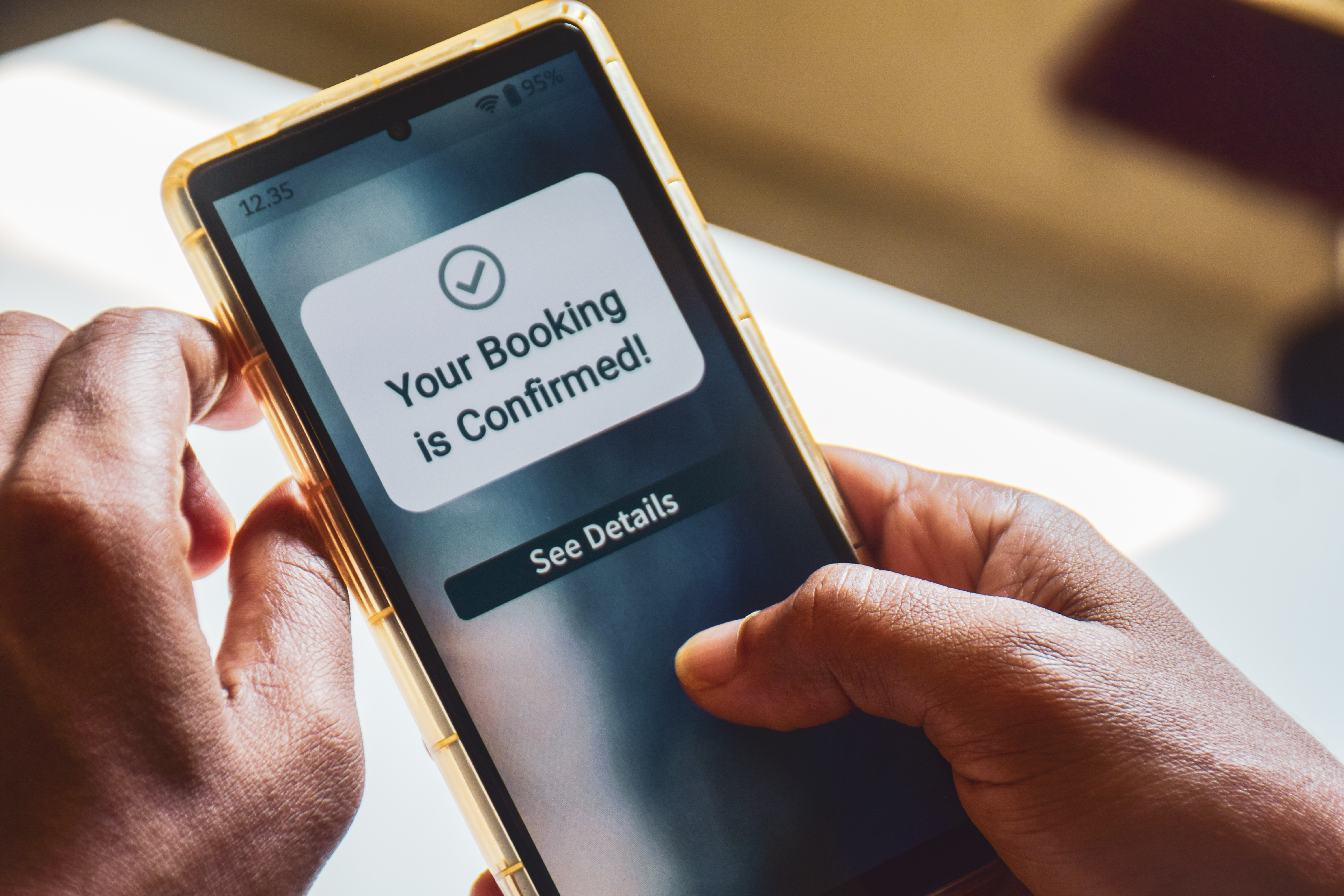
Booking confirmations are another powerful tool in your arsenal. They give clients peace of mind and serve as a commitment signal. When a client receives a confirmation, they’re more likely to show up. It’s like sealing their attendance with a digital handshake.

Integrating confirmations with automated reminders ensures every client knows they have a spot and when it is. This clarity helps reduce anxiety and last-minute cancellations. Plus, you can customize your confirmations to include any special instructions or gentle reminders about your cancellation policy. This proactive step not only secures attendance but also fosters a professional image for your business.

Boosting Attendance with Classta

Classta takes the stress out of managing these processes. By simplifying class management, it allows you to focus more on your teaching and less on the paperwork. Ready to see how?

Simplifying Class Management

Classta’s intuitive platform makes scheduling a breeze. You can set up classes, manage bookings, and send reminders—all from one place. No more juggling multiple apps or spreadsheets. Imagine the relief of having a system that handles everything, allowing you more time to engage with your students.

For instance, a dance studio owner used Classta to streamline her operations. She set up recurring classes, automated her reminders, and saw her no-shows plummet. The platform’s design lets you focus on your passion—teaching, without getting bogged down by admin tasks. Discover how automated reminders boost practice revenue.

Real-Time Analytics for Instructors

Real-time analytics are a game-changer for any instructor. With Classta, you can track attendance trends, see which classes are thriving, and identify areas for improvement. Data-driven insights allow you to adjust schedules or marketing strategies effectively.

An art instructor used these analytics to identify which of her workshops needed more promotion. By adjusting her approach, she filled up her classes and expanded her reach. Classta’s analytics can transform how you operate, ensuring your efforts are focused where they’re most effective.

Easy Steps to Start with Classta

Getting started with Classta is as simple as it gets. Here’s how you can set everything up in no time.

Setting Up in Minutes

Classta boasts a quick setup process. Just describe your class, and the AI does the rest. You’ll have a fully functional booking page in minutes. This speed doesn’t compromise on quality—your page will look professional and inviting.

An instructor recently shared how she set up her personal training sessions in under ten minutes. She was amazed at how easy it was to list her services and start accepting bookings immediately. Ready to streamline your class setup?

Mobile-Friendly Booking for Clients

In today’s fast-paced world, mobile-friendly booking is essential. Clients can book classes, receive reminders, and manage their schedule—all from their phones. Classta’s mobile design ensures a seamless experience for your clients, making it easier for them to commit.

A Pilates instructor saw her bookings soar after switching to Classta. Her clients loved the convenience of booking on-the-go. This flexibility not only improved client satisfaction but also increased her class attendance. Don’t let clunky systems hold you back—make the switch to mobile-friendly booking today.

In conclusion, using Classta to automate reminders and manage bookings can transform your teaching business. With fewer no-shows, you can focus on what you love—teaching and inspiring your students. Let Classta handle the rest. Learn more about the benefits of patient appointment reminder systems.